 Jonathan Brax
Why a Mac Can Pass Apple Diagnostics and Still Be Broken
ADP000 means the test didn't find anything it was looking for. It doesn't mean nothing is wrong. Here's what it misses and how we check for it.
I don't run bench inspections myself. My team does, and I spend most of my time on AI. But they run Apple Diagnostics on the Macs that come through, and they find problems it misses on a regular basis. A Mac comes back clean from the test and something is obviously wrong with it the minute a person actually uses it.
That's not really Apple's fault. As far as I can tell, the test is built to answer one question fast: is a component reporting a fault right now? That's useful at a service counter. It's not the same as checking whether a used Mac is ready for the next person.
How to run Apple Diagnostics on a Mac start here if you haven't run it yet.
What ADP000 actually means
ADP000 is Apple's code for no issues found. Read it literally. The test checked what it checks and nothing reported a fault. Apple also says the test doesn't cover external hardware or software problems.
Keyboard and trackpad
The test doesn't press a single key. A key with a broken clip, a sticky key from dried soda, or a spacebar that hangs for a second all pass. So does a trackpad that clicks unevenly. We type on every key and click every corner of the trackpad.
Speakers and microphones
A speaker can be connected and still sound terrible. Muffled audio, a buzz at higher volume, a rattle inside the case, or that hollow reverb sound you get from a damaged speaker. None of that shows up in a software test. You have to play audio and listen.
Display
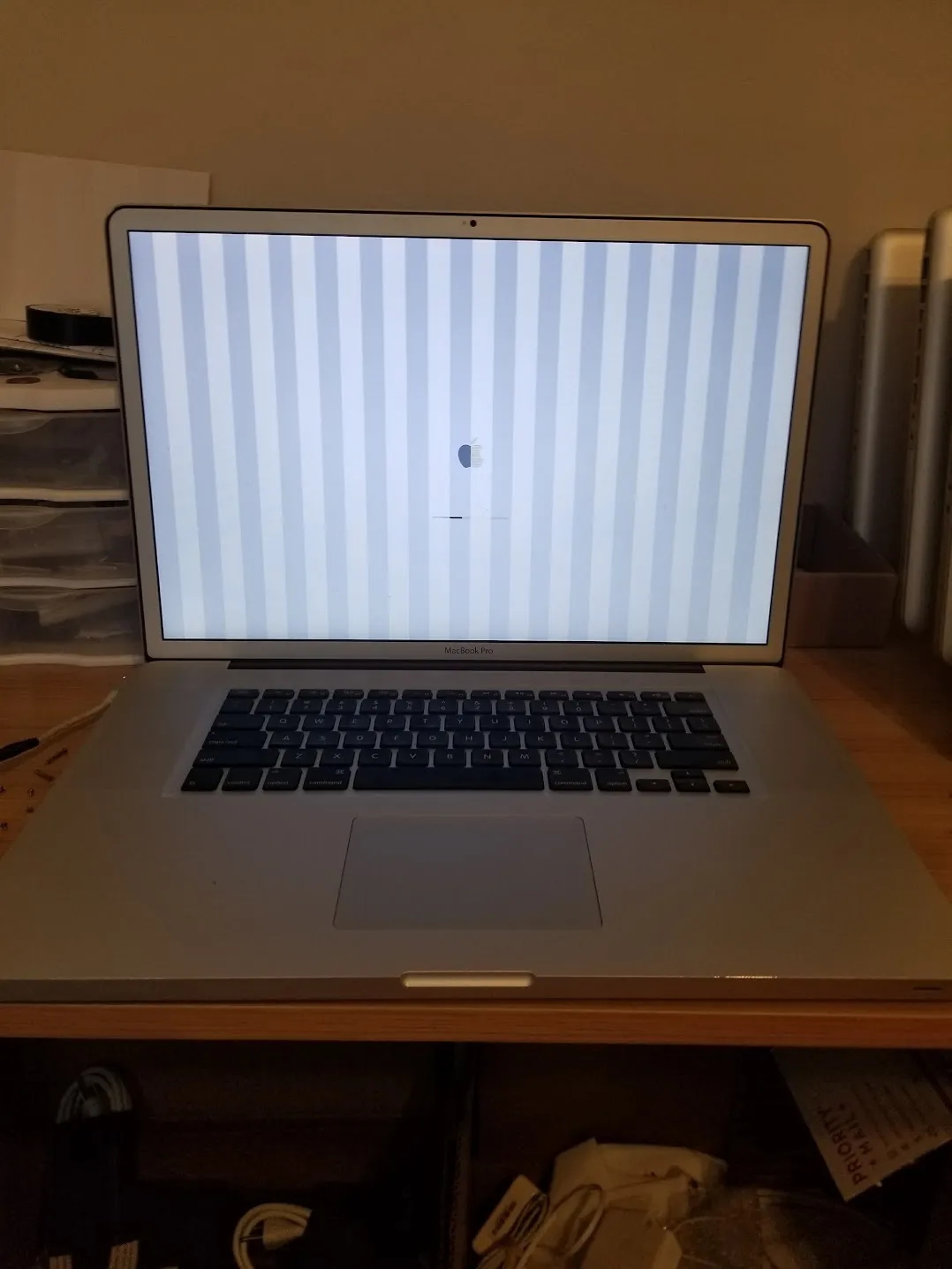
The test can't look at the screen. Vertical or horizontal lines, dead pixels, pressure marks, uneven backlight and coating damage all need a person looking at solid colors in decent light. On some MacBook Pros the screen cuts out only when the lid is opened past a certain angle, so we open and close it slowly while watching.
Camera
If the camera shows up, it can pass. Lines in the image, spots, a scratched lens cover or a blurry picture won't get flagged. Open Photo Booth and look.
Ports
A port that charges isn't necessarily a port that works. Some damaged USB-C ports still take power but drop data or won't drive a display. We test every port with a drive and a display, not just a charger.
Problems that only show up under load
The test runs for a few minutes. Some faults only show up after the Mac gets hot: random restarts, a fan that gets loud and stays loud, or a GPU that starts drawing garbage. Apple silicon Macs put the CPU, GPU and memory on one chip, so a lot of the old Intel board failures look different now, but heat still finds weak spots. We run a sustained load and watch it.
Liquid and physical damage
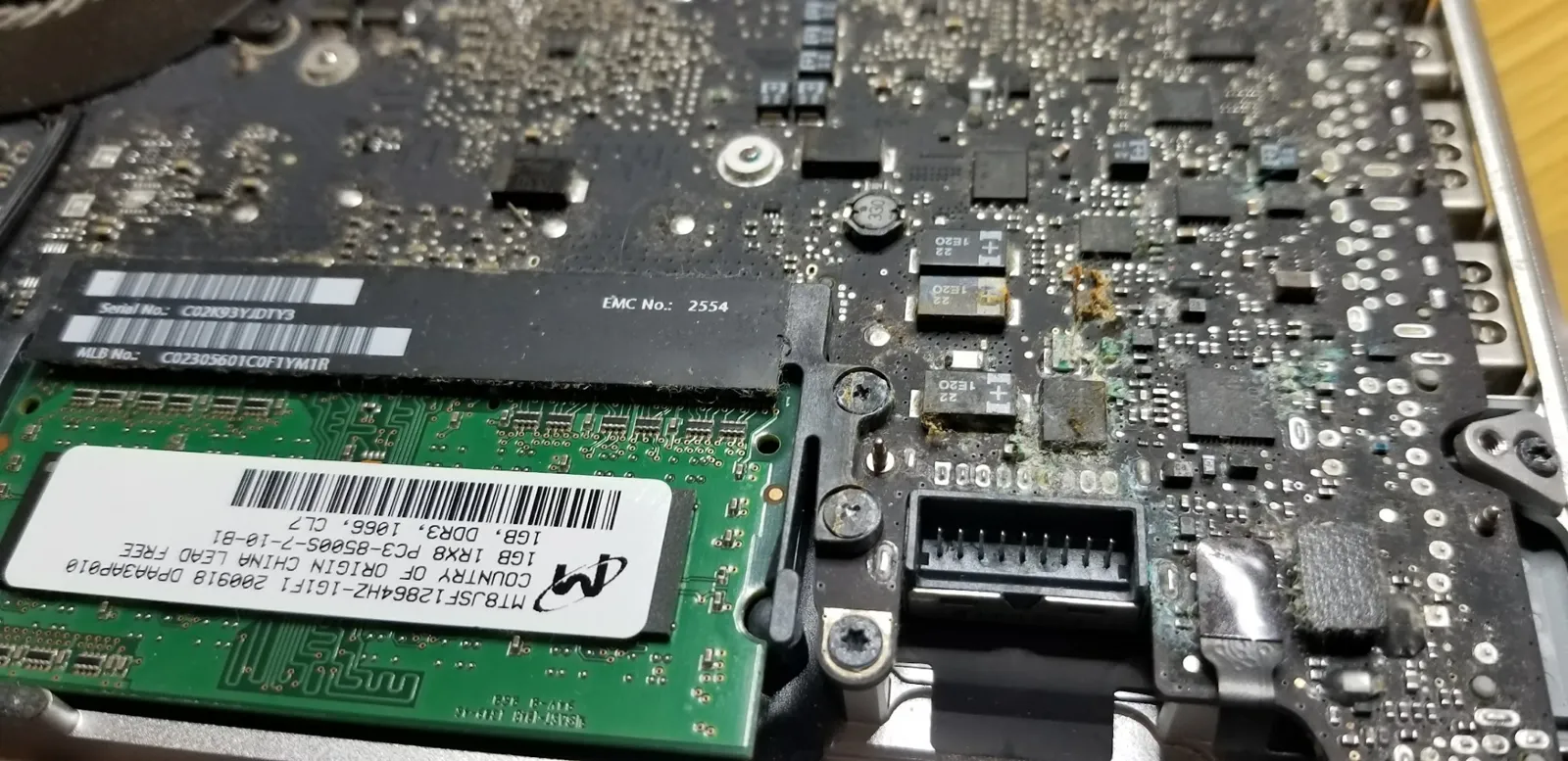
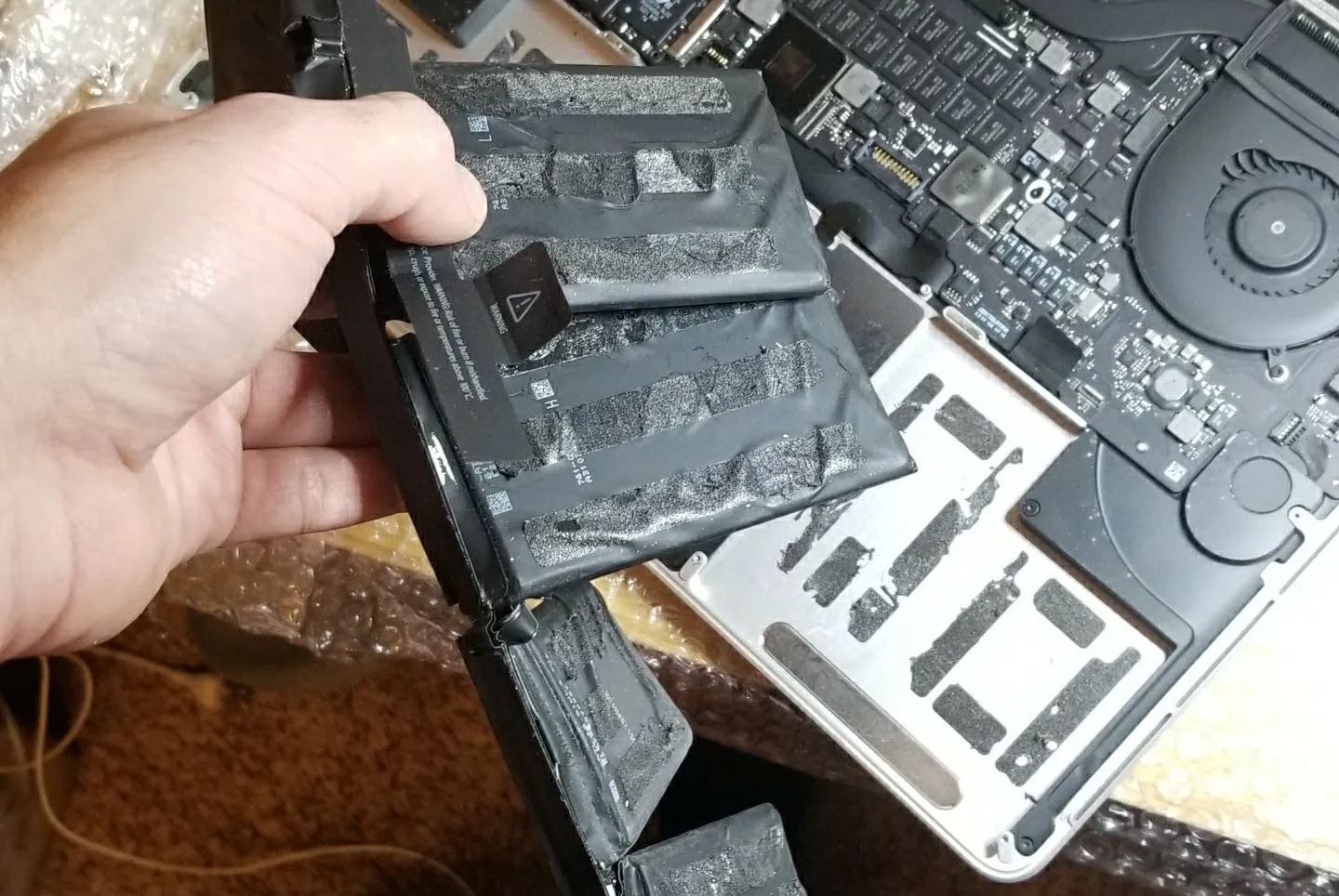
Liquid damage can sit on a board for a while before anything stops working. A Mac can pass today and fail next month. Same with a battery that's starting to swell. You only see those by opening it or looking closely at how the case sits.
Reference code families
If the test does find something, the first letters of the code tell you roughly where to look. Apple keeps the full list, and the exact code matters, so check it there.
| Code starts with | Area |
|---|---|
| ADP000 | No issues found |
| NDC | Camera |
| NDD | USB hardware |
| NDK | Keyboard |
| NDL | Bluetooth |
| NDR | Trackpad |
| NDT | Thunderbolt |
| PPF | Fan |
| PPM | Memory |
| PPT | Battery |
| VDC / VDH | Storage |
| VFD | Display or graphics |
| VFF | Audio |
Apple Diagnostics and its reference codes Apple's own page, which links to the full code list.
How we check a Mac after it passes
- Look it over under good light, including the screen on solid colors.
- Type on every key and click the whole trackpad.
- Play audio at a few volumes and listen for buzz, rattle or muffled sound. Record a voice clip and play it back.
- Open the camera and look at the picture.
- Test every port with data and a display, not just power.
- Open and close the lid slowly while watching the screen.
- Run it under sustained load and watch for restarts, fan noise and screen problems.
- Check battery condition and look for any swelling or signs of liquid.
When you go through a lot of Macs, the ones that pass the test and still have a problem are the ones that come back. Somebody opens it, the spacebar sticks, and now they don't trust anything else about it either. So the diagnostic is where we start, not where we stop.
Does ADP000 mean my Mac is fine?
It means nothing the test checks reported a fault. It doesn't check keys, sound quality, the picture on the screen or the camera, and it doesn't run long enough to catch most heat problems.
My Mac passed but keeps restarting. Now what?
Notice when it happens. If it's under heavy use, it may be heat or power related. If it follows one app or one accessory, it's probably software or that accessory. Remove things one at a time, and if it keeps happening, take it in for service.
Can Apple Diagnostics find liquid damage?
Only if the damage is already causing a component to report a fault. Corrosion that hasn't broken anything yet won't show up.
Related Operator Notes
- How to Run Apple Diagnostics on a Mac and What the Results Actually MeanHow to run the Apple Diagnostics test on Apple silicon and Intel Macs, what it checks, and why a passing result doesn't mean the Mac is problem-free.
- How We Decide What a Used Mac Is WorthA used Mac doesn't have one price. Here's how we actually think about a machine at SellMac before we put a number on it.
- How to Buy Used MacBooks in Bulk Without Getting BurnedBuying used MacBooks in bulk is a different decision than buying one. What I want to know about a lot before money moves, and why a cheap per unit price is the least useful number on the page.
Follow Brax
I post the short version on social. Techable Labs is where the YouTube work lives. The deeper notes live here.